
Pay for the AI you use, and know the cost before it runs
EduFlow is not sold in feature plans. All three levels are open to everyone; costs come from AI calls and are always shown before they run.
How a charge comes about
- 01
One key per organization
Each school, faculty or individual receives one key for an agreed number of computers.
- 02
Try it in the app
Choose Request a trial on the first screen and send the form. A trial key works on 1 computer, with a trial budget and an expiry date.
- 03
Measured in tokens
Every AI call measures four token classes: input, output, cache write, cache read. Each class has its own unit price per model.
- 04
Locked in when recorded
The amount for each call is locked in when it is recorded, at the current price list; a new price list only applies to later calls.
- 05
Know before it runs
Every AI task shows an estimated range before it runs and the actual cost after it runs. Assistant messages show the cost under each answer.
- 06
Monthly budget per key
An administrator sets the monthly budget and warn or block mode for the key. The app notifies you at 80% and 100% of the budget.
- 07
Monthly reconciliation
Agentra can export your organization's monthly usage as CSV, each call with its tokens and amount, for reconciliation. It is not an invoice.
The formula for one AI step
Cost = sum over classes (tokens in the class × class unit price) ÷ 1,000,000
Unit prices are in VND per million tokens, by model and token class. This page does not publish unit prices; schools receive a quote from Agentra.
Three states of the monthly budget
Below 80% of the monthly budget.
From 80% of the budget, the home screen shows a warning, once per threshold per month on each computer. The estimate dialog shows the budget left for the month.
Warn mode: tasks keep running. Block mode: AI tasks stop until the 1st of next month or until the budget is raised.
What runs on your computer, free of charge
- Quality gates P1..P12 for tests, lesson plans and slides
- Shuffling test versions and building test blueprints
- Compiling and exporting PDF, DOCX, PPTX
- Reading documents, splitting them into passages and searching them
- Local slide theme suggestions
- Editing content and approving versions
- The assistant's action cards and / commands
- Viewing your organization's costs and usage
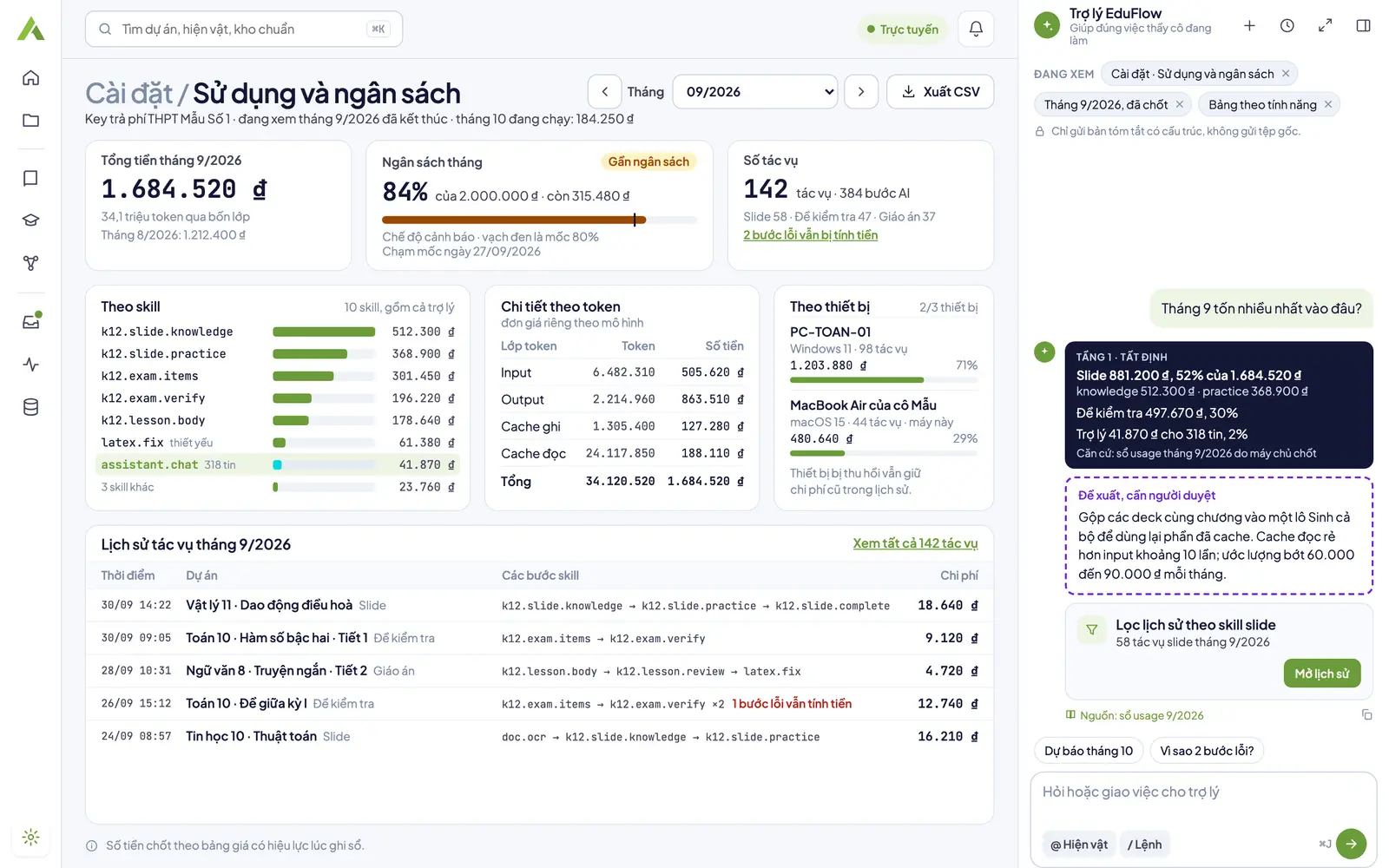
Figures in the screenshots are sample data for illustration.
Get a quote for your school
Send your organization's name, the expected number of computers and the main level you will use; Agentra will get back to you with a quote.