
Curriculum review: add your program records today, the digital twin is on the roadmap
Create a Program project, add the degree program records, course syllabi and regulations so the app reads them on your computer, then ask the assistant about those documents. The digital twin, the three-tier review and what-if scenarios are on the roadmap and not in the app yet.
For the Quality Assurance Office, the Program Council and school leadership.
A picture of the review tools on the roadmap
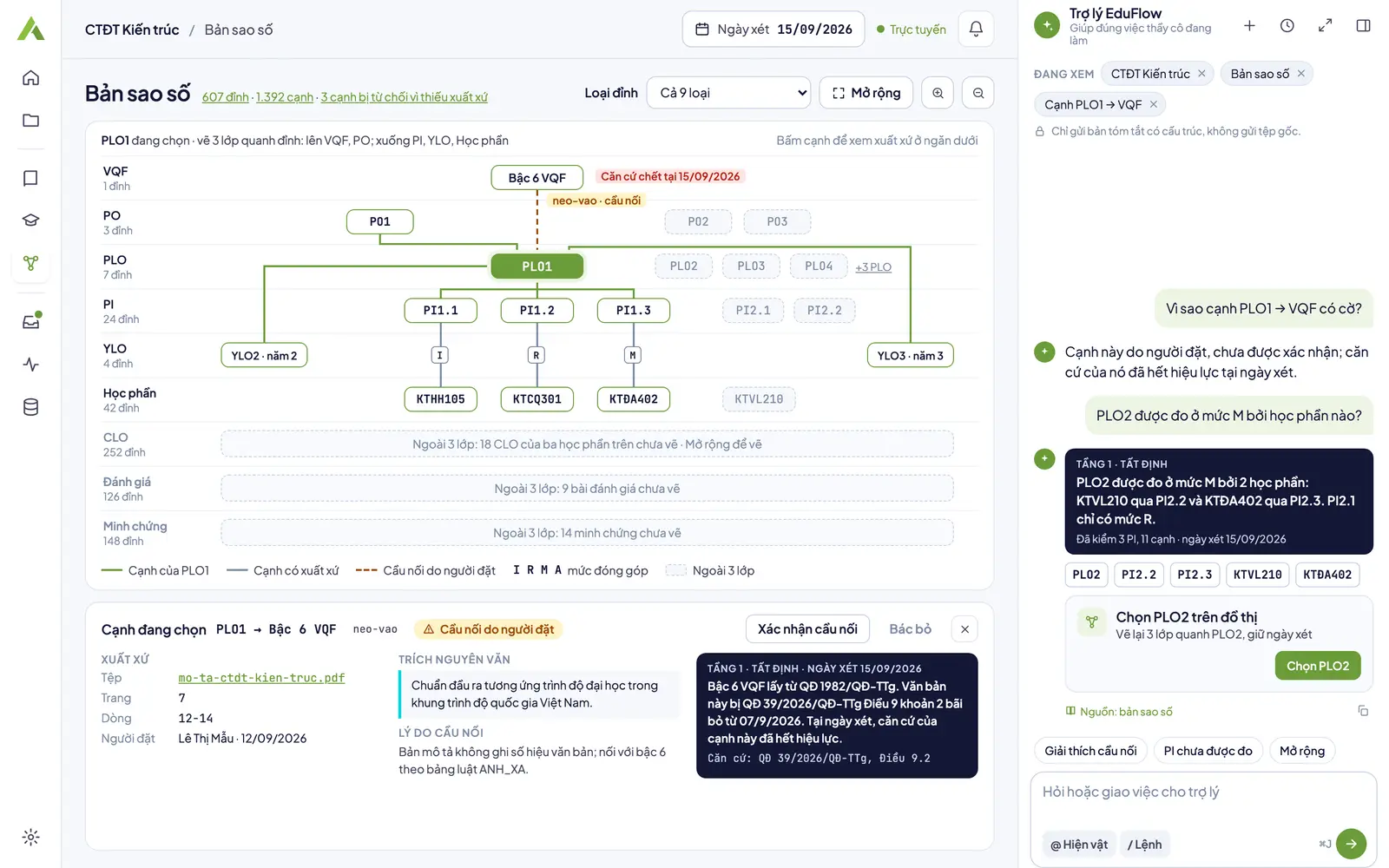
Digital twin (planned)
Planned design: a layered graph, the provenance of every edge and bridges placed by people. This screen is not in the app yet.
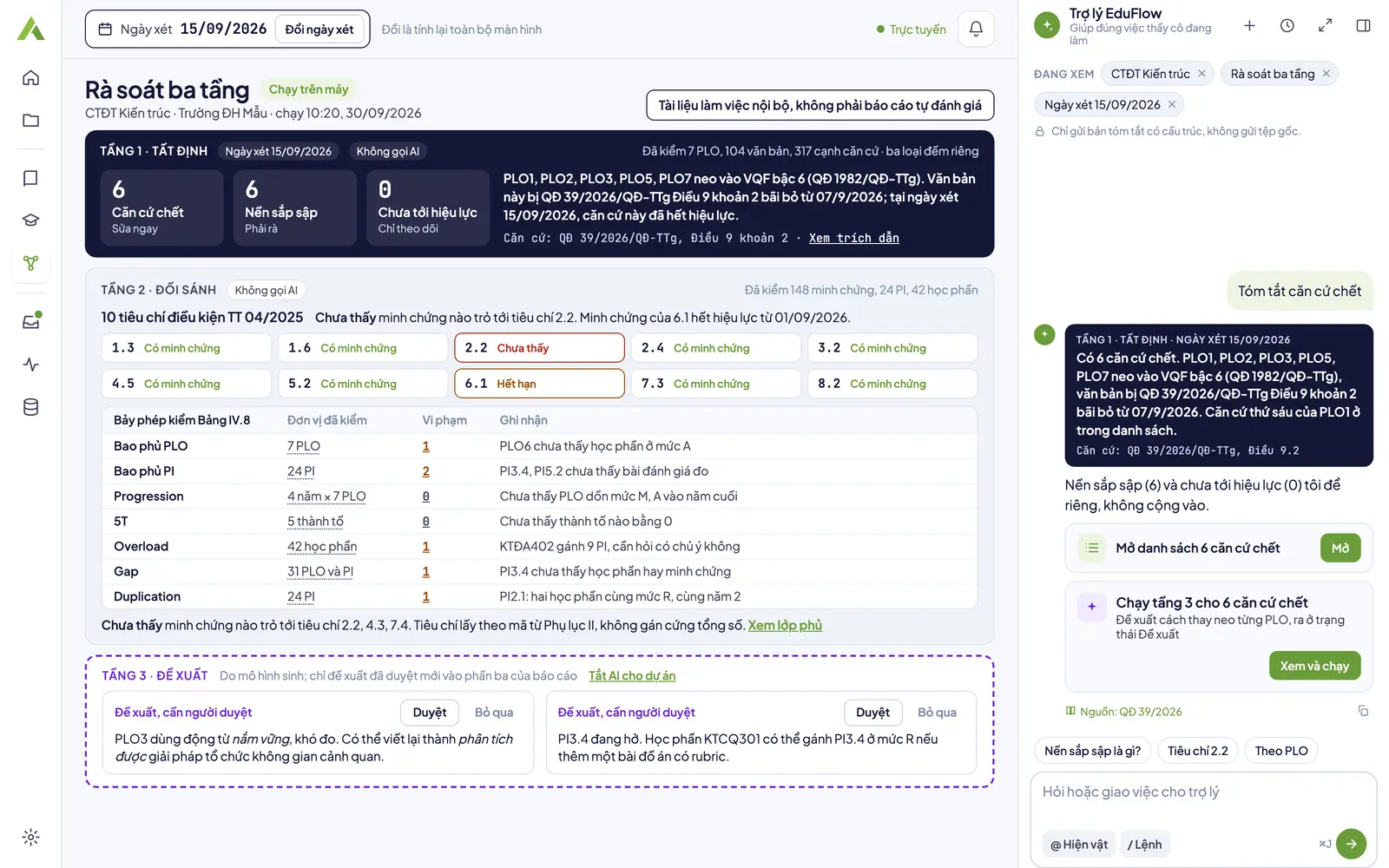
Three-tier review (planned)
Planned design: the review date bar and the tier 1, tier 2 and tier 3 blocks; every number opens a list when clicked. This screen is not in the app yet.
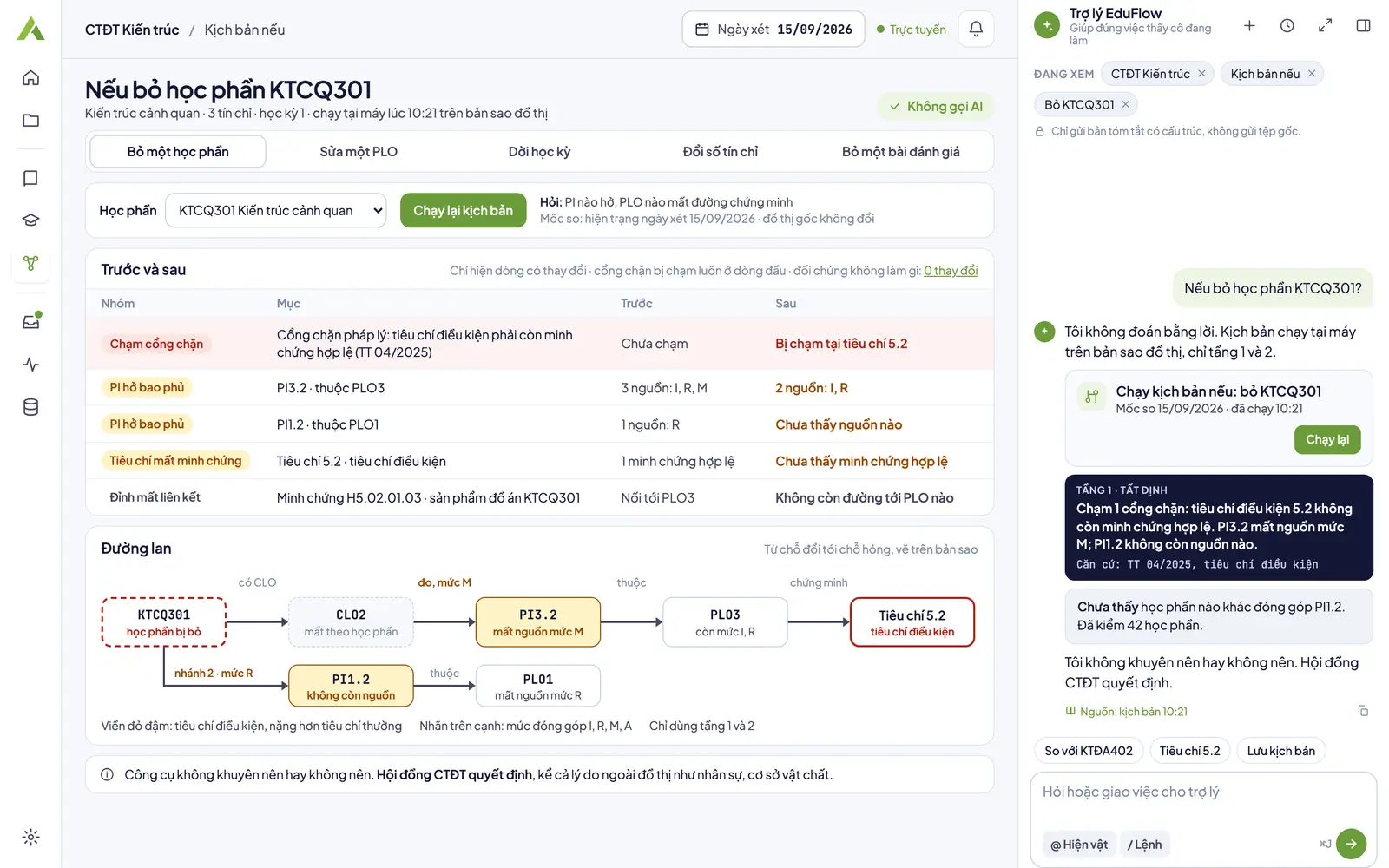
What-if scenario (planned)
Planned design: a before and after table with the spread drawn on the graph, run on your computer. This screen is not in the app yet.
Figures in the screenshots are sample data for illustration.
What works today, and what is on the roadmap
A Program project
Create a project at the Program level to keep the records of one degree program together. This project has no review screen yet.
Add degree program records
Add PDF, Word, PowerPoint or image files, up to 80 MB and 300 pages each; the app reads them on your computer and recognizes document types such as degree program, course syllabus and regulation. Scanned pages and photos are not read into text yet; they wait for OCR.
Ask the assistant about the records
The assistant picks matching passages on your computer and shows them as chips you can trim before sending; answers carry a Source chip that opens the exact passage, and turning AI off keeps the whole project private.
Roadmap: a digital twin with provenance
Not in the app yet: a graph of the degree program where every edge records its file, page and line, then a three-tier review: deterministic, comparative, suggestion.
Roadmap: curriculum map and validity
Not in the app yet: seven curriculum map checks, the legal validity of each basis at a review date, and a criteria overlay under Circular 04/2025.
Roadmap: what-if scenarios
Not in the app yet: try removing a course or changing a PLO on a copy of the graph and see the effect spread to the criteria before making the real change.
Gates K1..K12: on the roadmap
By design, twelve gates, K1..K12, check edge provenance, unknown codes, the review date on every result, all seven checks and the prerequisite criteria before the report is signed. The app does not have these gates for the Program level yet.
A principle already running at the K-12 level: a gate that checked 0 units shows Gate error, never Pass.
Topic pages for this level
Step by step in the app
- Add documents for the assistantAdd PDF, Word, PowerPoint or images to EduFlow: the app reads text on your computer, cuts passages to search, and sends the assistant the passages you keep.
- Use the AI assistantAsk the EduFlow AI assistant about the open screen, have it prepare a setup, read its three-tier answers, use local action cards, and turn AI off per project.
Frequently asked questions
What does curriculum review in EduFlow cover?
Today: create a Program project, add the degree program records, course syllabi and regulations so the app reads them on your computer, search passages and ask the assistant. On the roadmap, not in the app yet: a digital twin with the provenance of every edge and a three-tier review: deterministic, comparative, suggestion. The planned result is an internal working document, not a self-assessment report.
What does reviewing at a review date mean?
Not in the app yet; it is on the roadmap. By design, every result is tied to a review date. Bases that have expired, bases about to expire and bases not yet in force on that date are three separate figures, never added into one.
What do the curriculum map checks cover?
Not in the app yet; it is on the roadmap. By design, seven checks: PLO coverage, PI coverage, progression, 5T, overload, gap and duplication. Each check reports how many units it checked, and a check of 0 units is an error, never a pass.
How does the criteria overlay work?
Not in the app yet; it is on the roadmap. By design, each criterion of Circular 04/2025 has exactly one status: evidence found, evidence expired or not found. Tier 3 suggestions need a person's approval before they enter a report.
Can I test a change before making it?
Not in the app yet. On the roadmap, a what-if scenario will let you drop a course or change a PLO on a copy of the graph and see how the change spreads to the criteria, on your computer, at no cost.
Bring your program records into EduFlow
Download the app, create a Program project and add your records; the review tools will follow on the roadmap.